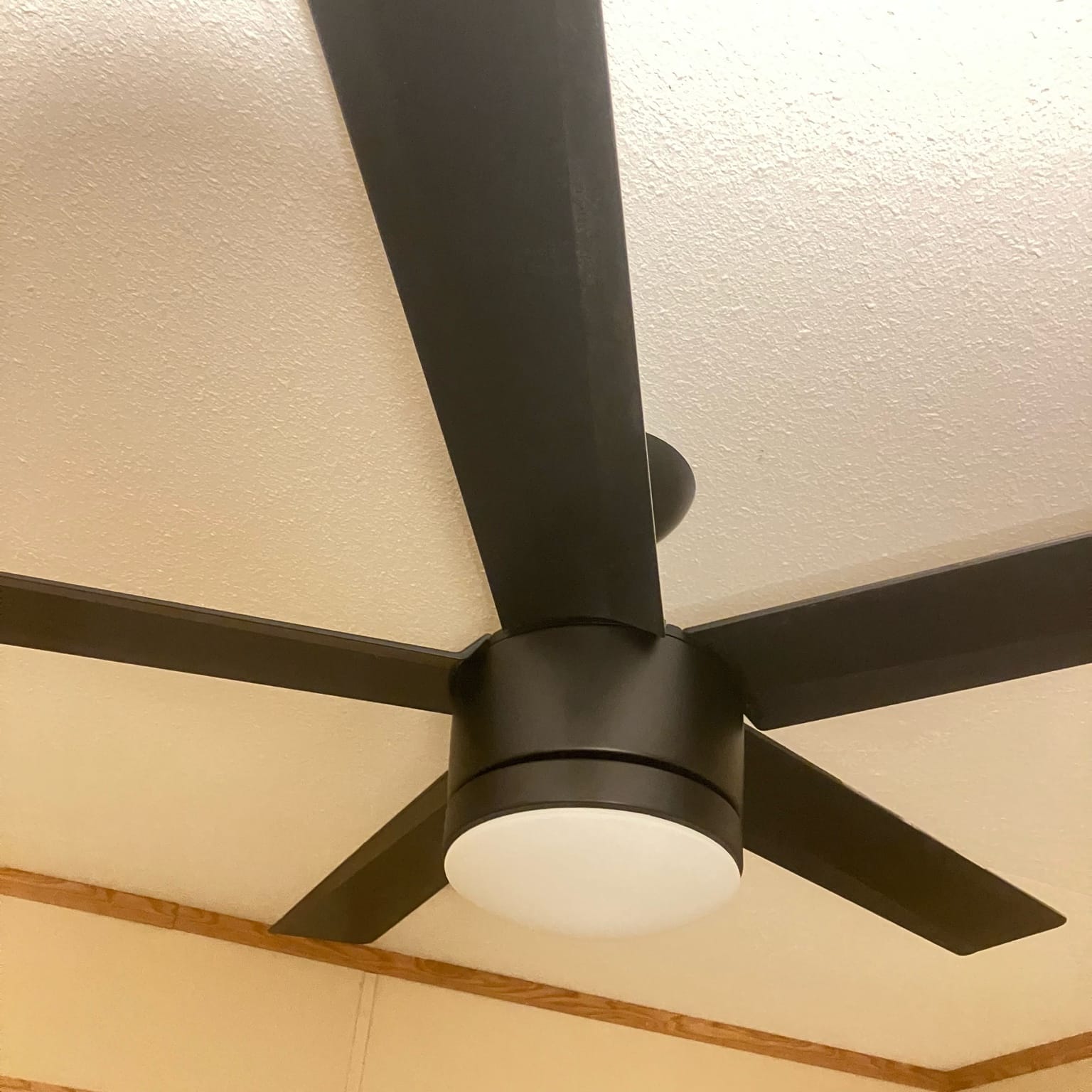
Ceiling fans in adjacent room both responding to remote

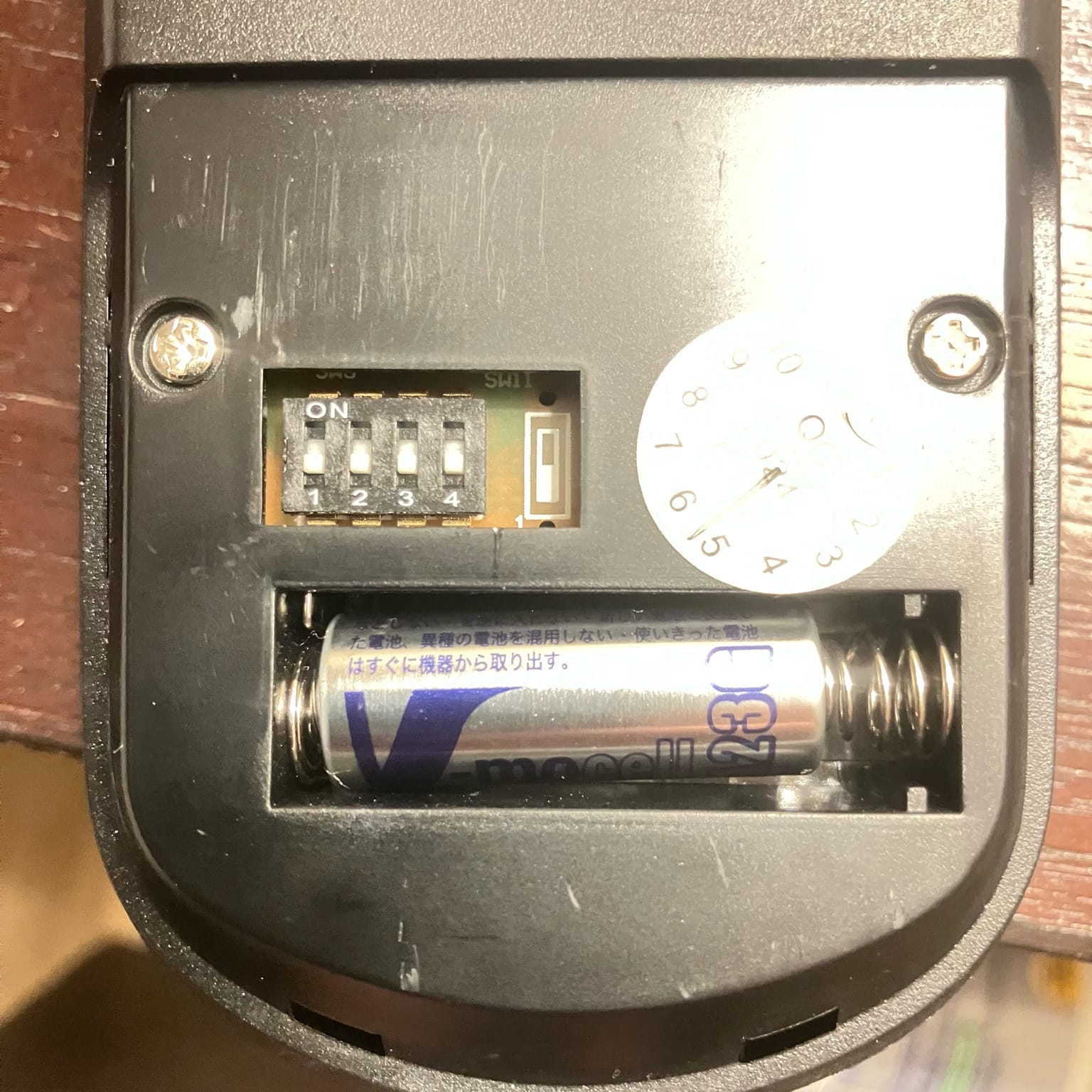
I’m staying in this room that has the ceiling fan in the room next-door to me. Also has the same ceiling fan with my work partner and we we use this remote to turn on our light or adjust the fan speed adjust both of them which we don’t want happening. I noticed there’s these dip switches on the back of this remote that I was wondering do I also have to adjust dip switches on the fan? I looked up on there. I stood up on a stool. I can’t see anything.
ChatGPT 5.2 said:
Yep — those DIP switches are the “address” (code) for the RF remote.
Right now both fans are listening on the same code, so one remote is triggering both receivers through the wall.
What you have to change
- Changing the DIP switches on the remote alone will break control (the fan won’t respond).
- To make each fan independent, you must change the code on one fan + its remote:
- Pick a new DIP pattern on the remote (any combo different than the other room).
- Set the fan’s receiver to the exact same DIP pattern.
Where the fan’s DIP switches are hiding
On the fan side, the receiver (and its DIP switches) are almost always:
- Inside the ceiling canopy (the cone/cover tight to the ceiling where the downrod meets the ceiling), or
- Sometimes in the top of the fan housing, but usually the canopy.
That’s why you couldn’t see anything standing on a stool looking from below — it’s tucked above that cover.
How to get to it (typical)
- Turn power off to that fan at the wall switch and ideally the breaker (so nobody turns it on while you’re up there).
- Support the canopy with one hand, remove the 2 screws (or loosen/twist-lock depending on style).
- Slide the canopy down a few inches.
- Look for a small receiver module (often a black/white rectangular box with a thin antenna wire).
- Find its matching DIP switch bank (likely 1–4) and set it to match your remote.
- Reassemble, restore power, test.
Quick notes from your remote photo
- The 1–4 DIP bank is the address code.
- That separate “SW1” slide switch usually isn’t the address (often dimming/LED behavior). I’d leave SW1 exactly where it is unless you’re specifically troubleshooting light dimming/flicker.
If you pop the canopy and snap one clear photo of what you see up there (receiver/module area), I can tell you exactly which switch bank to change and what you’re looking at.
You said:
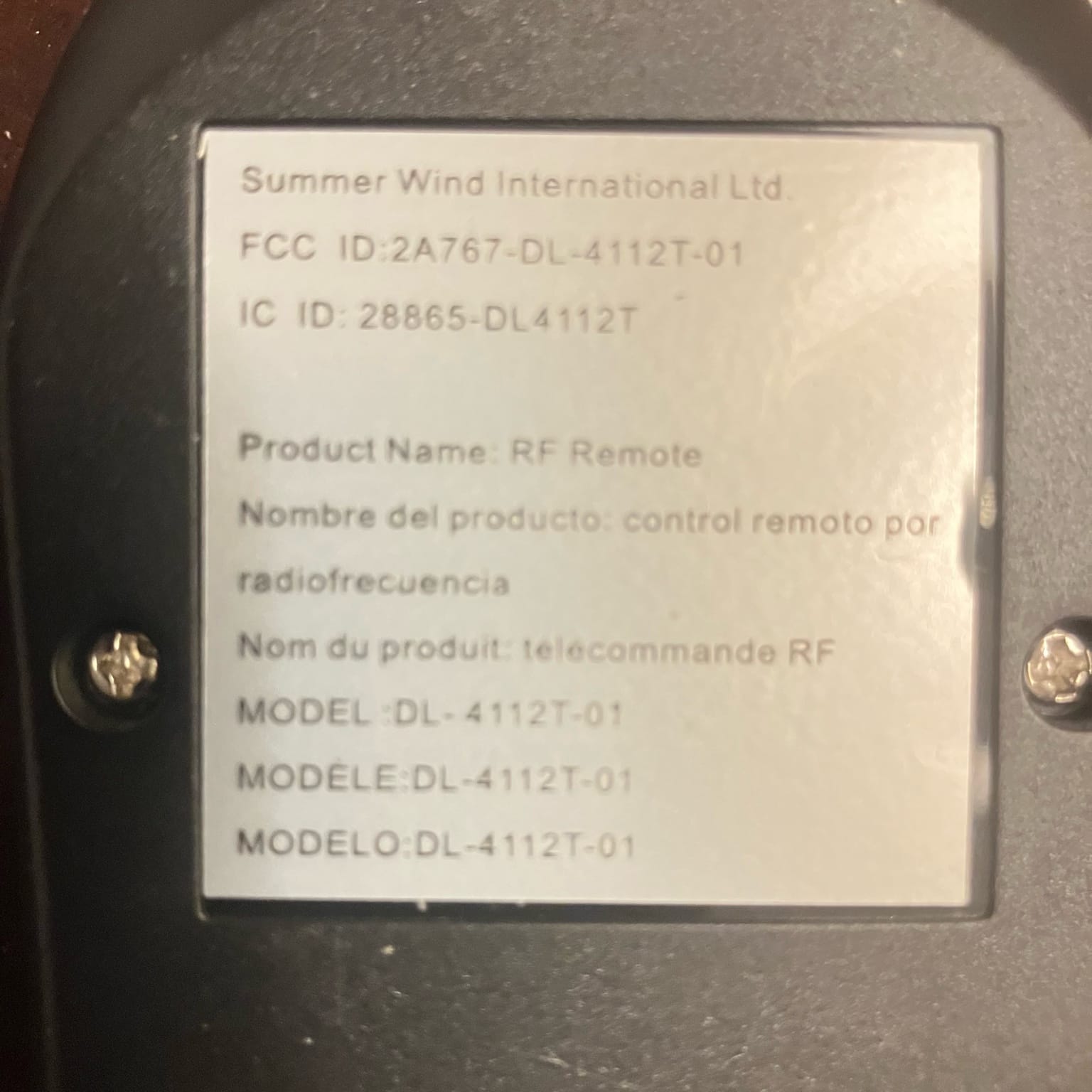
I wasn’t sure if you’re able to read the text and model number of the remote so if you could confirmed exactly where the dip switches are on this fan. it says: Summer Wind International FCC ID: 2A767-DL-4112T-01
IC ID: 28865-DL4112T RF
Remote Model: DL-4112T-01
ChatGPT said:
Yep — I can read it, and what you typed matches the label in your photo:
- Summer Wind International
- FCC ID: 2A767-DL-4112T-01
- IC ID: 28865-DL4112T
- RF Remote — Model: DL-4112T-01
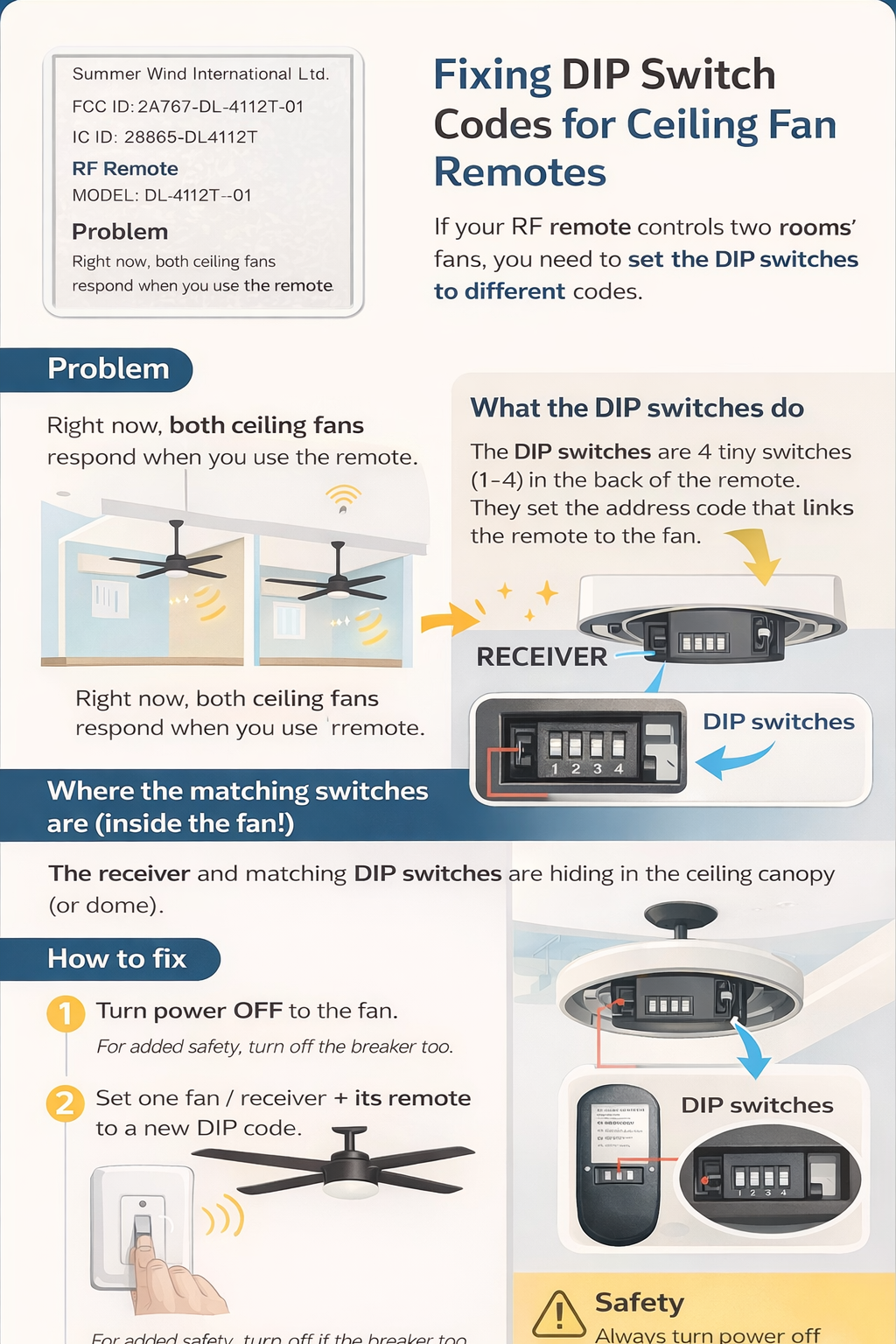
Where the matching DIP switches are on the FAN
They’re not on the visible underside of the fan. On systems like this, the “code” switches live on the receiver module that’s tucked up in the ceiling canopy / hanger bracket area (the part right at the ceiling above the downrod).
The install docs for this remote/receiver style explicitly say:
- the remote/receiver have 16 code combinations, and the switches on the receiver and the remote must match
- and the receiver is inserted into the hanger bracket (i.e., up in the canopy area)
So the DIP switch you need to change is typically on the side of that small rectangular receiver box (sometimes slightly recessed).
Do you have to change switches on the fan too?
Yes — on the receiver. Changing only the remote DIP will usually make it control neither fan (until you match the receiver you want).
How to access it (what you couldn’t see from below)
You usually can’t see it unless you drop the canopy:
- Turn power off to the fan (wall switch is usually enough; breaker is safest).
- At the ceiling, loosen/remove the canopy screws and slide the canopy down to expose the hanger bracket area.
- Look for a small receiver box sitting in/near the hanger bracket (it may be black).
- Find the 4-switch DIP bank on the receiver and set it to match the DIP pattern you choose on your remote.
Quick practical tip
To stop “one remote controls both rooms,” you only need to change ONE fan/receiver + ONE remote to a new DIP combo (even flipping a single switch is enough), and leave the other room’s fan/remote on the old combo.
If you want, snap one pic looking up into the canopy gap after you loosen it—I can point at exactly what part is the receiver and where the tiny DIP bank usually hides on it.
You said:
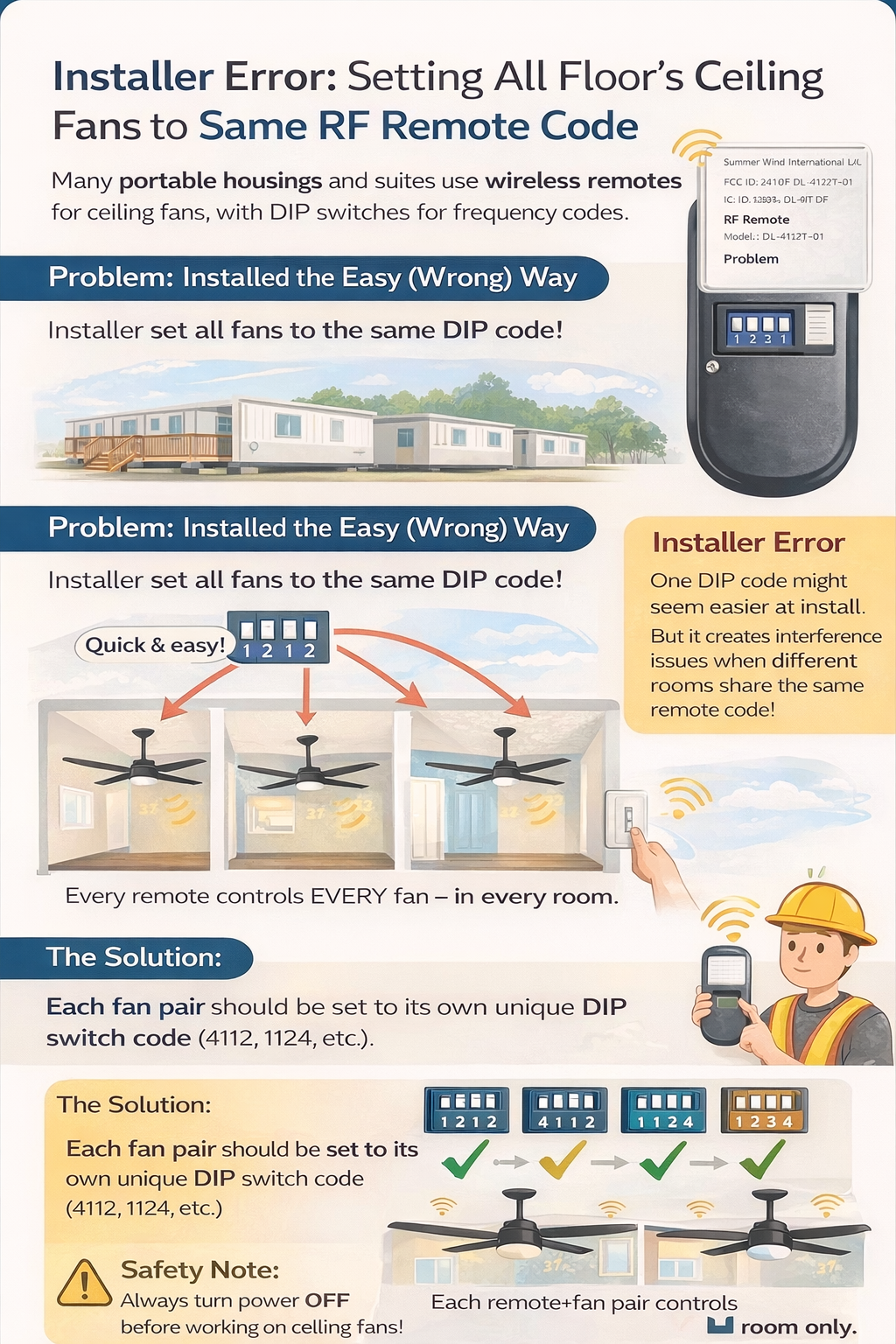
Make an info graphic about all this for my blog
You said:
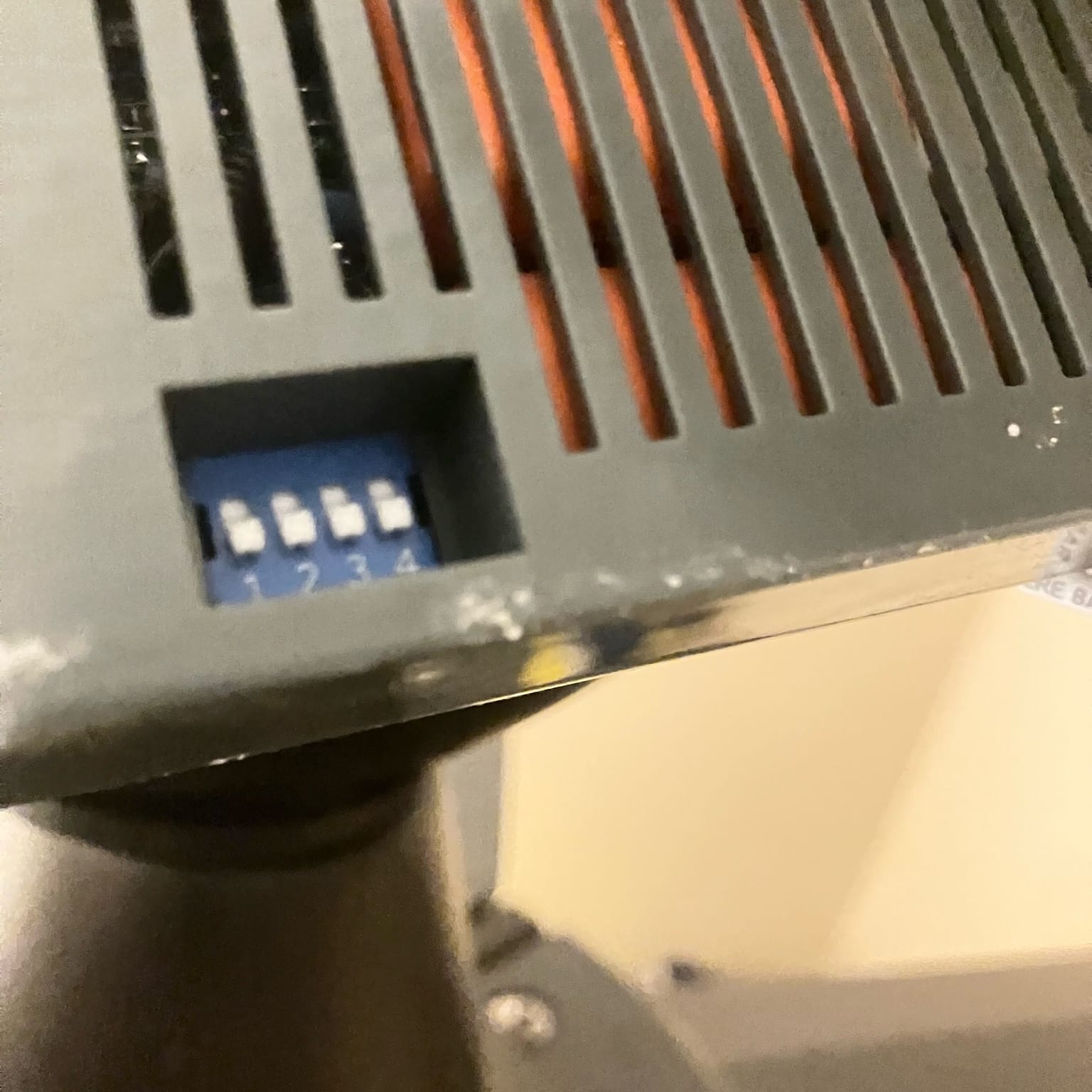
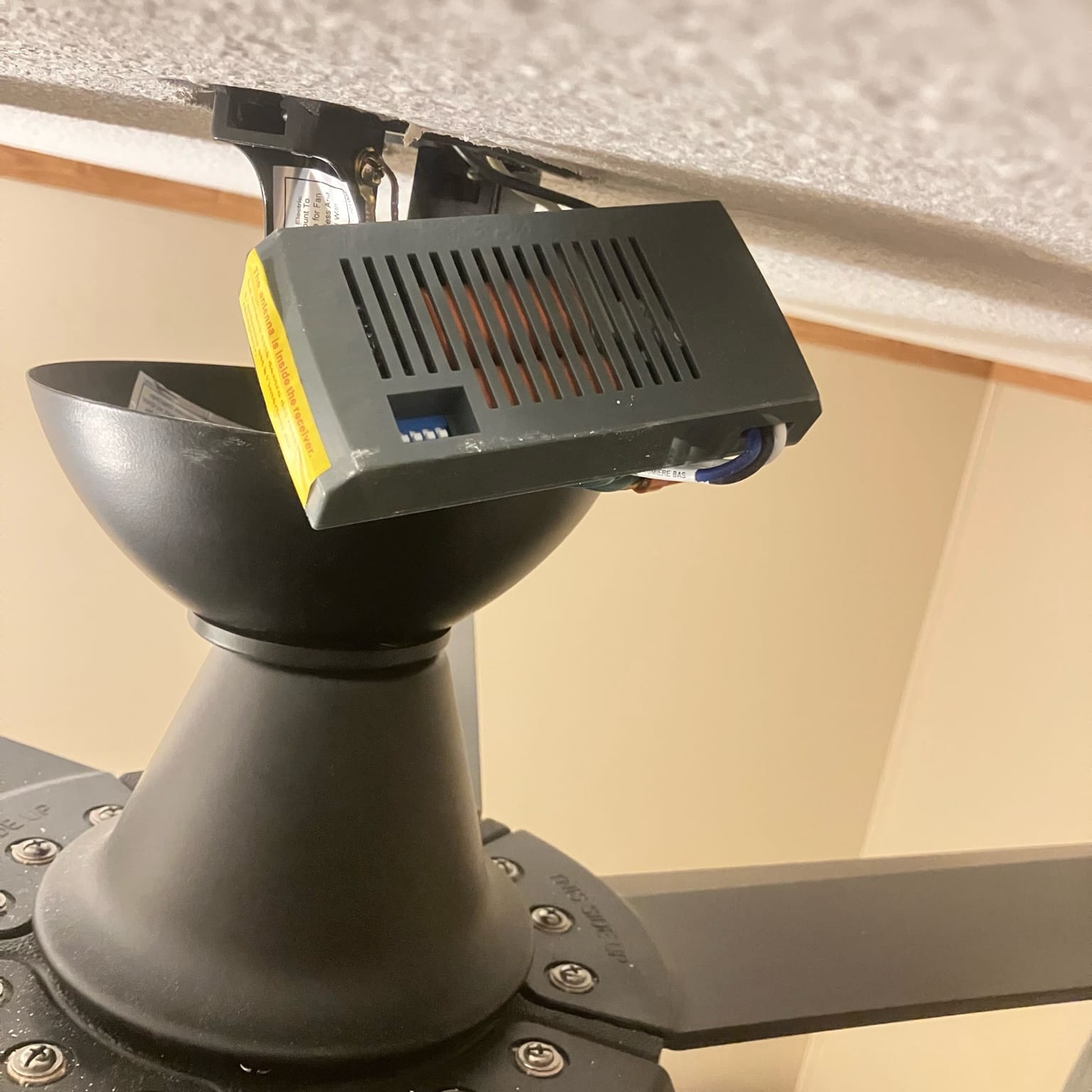
There was a small screw on the bottom of the canopy. I had to remove that to remove the canopy and then I could see the receiver, but as it turned out, I ended up having to slide it out, and the dip switches were on top. But in retrospect when I think about it, I think whoever installed it maybe slide it in upside down. Because they no sense to me why the manufacturer would have you completely removed the module to change the dip switches. I took pictures so you know what I mean.
ChatGPT said:
Yep — your photos show exactly what you were hunting for: that blue 4-position DIP switch bank (1–4) on the receiver module up in the canopy.
And your “installed upside down” instinct is very plausible.
Why you probably had to slide the receiver out
Look at your close-up: the receiver housing has a little square access window that’s clearly meant to let you reach the DIP switches without fully removing the module.
So in a “best case” install, you drop the canopy and the DIP bank is right there in that window.
If you had to pull the whole receiver out to even see the switches, that usually means the receiver was:
- inserted flipped 180°, or
- inserted upside down, or
- shoved in so tight/offset that the window wasn’t facing the open side.
Installers do this all the time because they’re just trying to make it fit with the wire bundle and bracket space — not thinking about future service.
Is it “wrong” to have it flipped?
Not electrically. It’ll work either way.
But for sanity, I’d reinsert it so that:
- the DIP window faces down / toward the canopy opening (so you can reach it next time),
- the antenna wire isn’t pinched against metal,
- none of the wires get crushed when the canopy goes back up.
What to do next (so each room stays independent)
- Pick a new DIP pattern for one fan/remote pair (even flipping just switch #1 is enough).
- Set that pattern on the receiver DIP and the remote DIP to match.
- Leave the other room’s fan/remote on the original pattern.
- Put a tiny label inside each remote battery door: “Room A” / “Room B”.
Tiny detail that matters: ON direction
The remote has a clear ON marking. The receiver DIP block usually has a tiny “ON” printed on the switch body too (sometimes hard to see). Match switch positions, not just “up/down by memory.” Taking a “before” photo (you already did 👍) is the right move.
If you want, tell me what the DIP pattern is right now (which switches are toward ON), and I’ll suggest two clean, easy-to-remember patterns so you don’t accidentally match them again later.
You said:
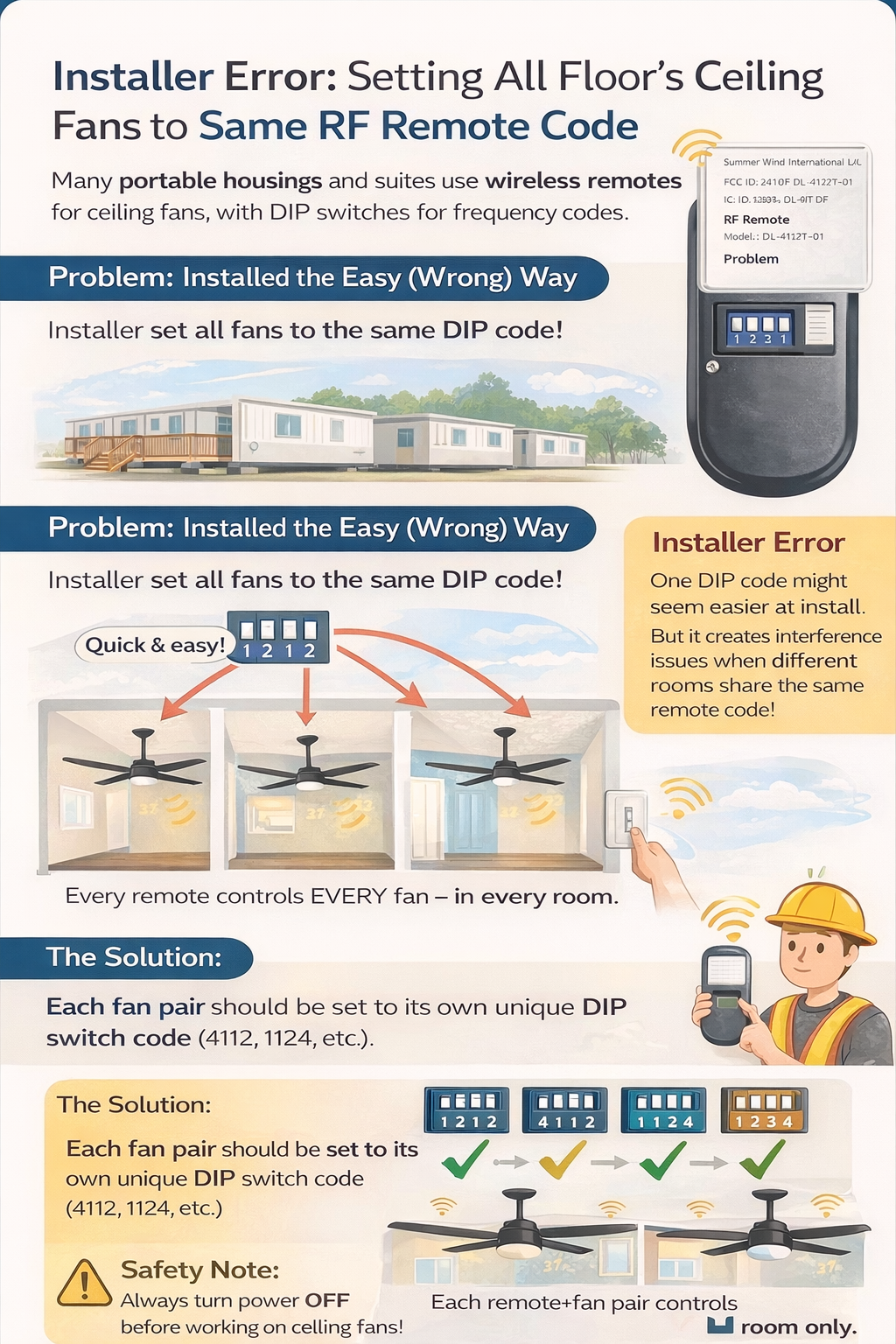
Basically, I’m staying in a portable housing unit with four fans and one in each bedroom one the living room and one in the office and whoever installed it wasn’t thinking about putting each fan on its own frequency. So this is the installer error that ends up affecting everyone that will rotate and live in this place, until of course I consult with you to figure this out and set them correct correctly. So I need you to make an info graphic regarding installer error.
You said:
So then, with four dip switches the total amount of different available channels is 16, is that correct?
ChatGPT said:
Yes — with 4 DIP switches you have 2⁴ = 16 possible codes.
- Each switch has 2 positions (ON/OFF).
- 4 switches → 2 × 2 × 2 × 2 = 16 unique combinations.
As long as each fan’s receiver and its remote are set to the same combination, and different rooms use different combinations, you won’t get cross-control.
You said:
So then that’s the strategy installer should’ve used considering that other portable housing units are gonna be located next to each other.
ChatGPT said:
Yes — that’s exactly the strategy a competent installer should use.
Why
- With RF remotes, the “DIP code” is basically the address.
- If you set every fan to the factory default (or the same code), then:
- one remote can trigger multiple fans in the same unit
- and in tight setups (portable units / adjacent suites), it can even trigger fans next door depending on distance, wall material, and receiver sensitivity.
What the installer should’ve done
- Assign a unique DIP code to each fan/remote pair inside the unit (4 fans = 4 different codes).
- Ideally, also follow a simple site pattern (example):
- Bedroom 1 = code A
- Bedroom 2 = code B
- Living room = code C
- Office = code D
- Label each remote (inside battery door) with the room name + code.
- (If they’re installing many units) rotate code sets per unit so neighboring units aren’t all identical.
Practical reality
16 codes isn’t infinite, but it’s enough that installers can avoid 95% of collisions just by not leaving everything on default and by using a repeatable labeling scheme.
If you want, tell me the current DIP pattern on each of your four fans (like “ON-OFF-ON-OFF”), and I’ll give you a clean plan so all four rooms are unique and easy to remember.
You said:
Actually, just provide a list of the sixteen different DIP switch positions.
ChatGPT said:
You got it. With 4 DIP switches (1–4), each can be ON or OFF, so you have 16 total combinations.
Below I’m listing them as [1,2,3,4] where 1 = ON and 0 = OFF:
- [0,0,0,0]
- [0,0,0,1]
- [0,0,1,0]
- [0,0,1,1]
- [0,1,0,0]
- [0,1,0,1]
- [0,1,1,0]
- [0,1,1,1]
- [1,0,0,0]
- [1,0,0,1]
- [1,0,1,0]
- [1,0,1,1]
- [1,1,0,0]
- [1,1,0,1]
- [1,1,1,0]
- [1,1,1,1]
Important: whatever code you choose, the remote DIP and the fan receiver DIP must match exactly.
You said:
Make a PDF printable list that is designed for the installers to keep track and make notes on this sheet as they install the fans.
Here you go — a printable installer worksheet PDF with:
- Site / unit info fields
- A fan-by-fan log table (room, IDs, receiver/remote DIP, test checkbox, notes)
- A 16-code reference grid with checkboxes + a spot to note which room/unit used each code